
Tutorials
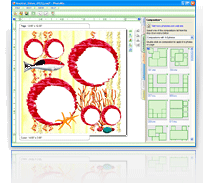
The PhotoMix Halloween Add-in contains many creative graphics for your use. Apart from borders, backgrounds, and clipart, numerous templates are available so that you can create your own digital Halloween scrapbooking layouts. A tutorial video has been prepared for you so you can learn how to create layouts in seconds!
When you download the PhotoMix software, you automatically get a limited trial version. In order to enjoy all the features of the software, you must first enter the serial number you have purchased. Check out this tutorial to learn how to enter your serial number and enjoy the full-featured program.
Among the most exciting features of the PhotoMix software is the hundreds of professionally-designed free templates. They are so easy to use that you can create perfect collages in no time! View this tutorial to learn the few simple steps to follow when making collages using the readily available templates.
Sometimes, you love your collage so much that you’d want to use it over and over again. Using PhotoMix, you do not have to start from scratch! View this tutorial to learn how to simply change photos in your old projects to come up with new collages in an instant!
The PhotoMix software has a Compositions feature that allows you create collages in seconds! Simply drag and drop the required number of photos in a page and then choose among the layouts. This automatically repositions your photos to each frame. Learn how to use the Compositions feature through this tutorial.
PhotoMix templates are normally sized either 12”x12” or 11”x 8.5”. However, do not let this limit your collage projects because you can easily change sizes according to how big or how small you want your collages to be. Take a look at this tutorial to learn how to do this.
Downloading PhotoMix set up files is easy! However, because of variations and differences between browsers, it may become quite confusing. Whether you’re using Microsoft Internet Explorer or Mozilla FireFox, you can easily download and save set up files from the website. View this tutorial to learn how to do this.
Learn how to create your first scrapbook using PhotoMix.
Learn how to work with PhotoMix Addins (Additional Graphics Kits).
Learn how to work with Templates.
PhotoMix templates are not meant to be used for just one collage but an infinite number of collages! Once you’re done with one, there’s never a need to start from scratch! Check out this tutorial video to learn how to come up with new collages using old temples within minutes!
Scrapbooks and collages are not the same without your own captions. Placing text is one way to make your project more personal. Doing this is easy and it only takes a few seconds of your time. View this tutorial video to learn how to place your own texts in seconds!
After downloading your copy of the PhotoMix software, you will only get the limited trial version where some very cool features are disabled. Check out this tutorial video specially prepared for you to easily learn how to unlock all the features by registering the serial number that you have purchased.
Purchasing the PhotoMix software will allow you to download an unlimited number of available templates for free! However, this privilege is useless if you do not know how to make full use of these templates. View this video for a step-by-step tutorial on how to make use of PhotoMix templates.